TiviMate vs IPTV Smarters Pro (2026): The Ultimate IPTV Player Showdown
When you decide to cut the cord and switch to a premium IPTV subscription, choosing the right provider is only half the battle. To actually watch the streams, you need an application known as an IPTV player. These players do not host any channels or videos themselves; instead, they serve as the user interface (UI) and media engine that loads your provider's playlist database. The player you choose will directly dictate your channel zapping speeds, how your Electronic Program Guide (EPG) is formatted, and the stability of your high-definition streams. In the streaming community, two applications stand head and shoulders above the rest. In this guide, we will examine the ultimate showdown of tivimate vs iptv smarters pro to help you decide which one deserves a spot on your television screen.
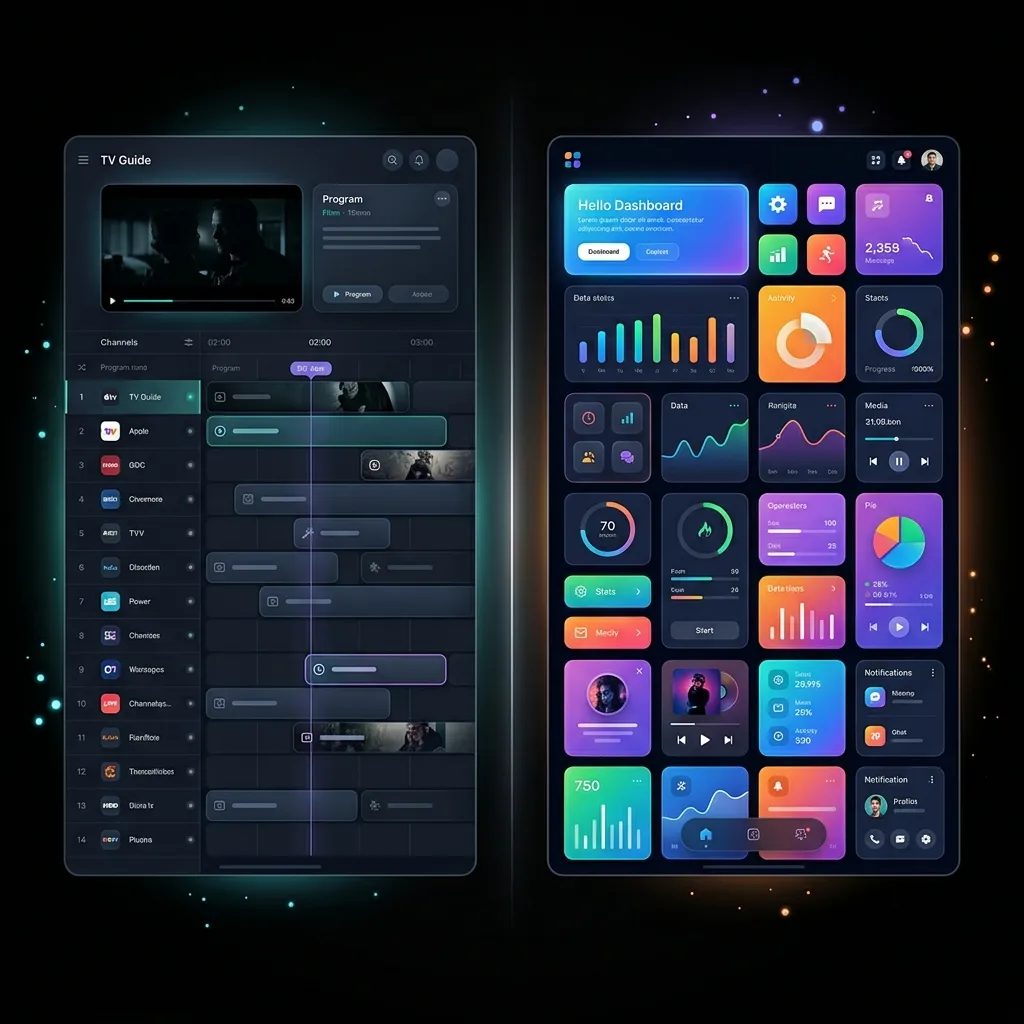
Figure 1: Side-by-side comparison of TiviMate zapping and IPTV Smarters Pro layout.
At Ghost IPTV, our servers fully support both TiviMate and IPTV Smarters Pro via the highly stable Xtream Codes API. Both players are fully capable of handling our native 4K streams, regional sports packages, and massive video-on-demand (VOD) catalog. However, they approach user experience and platform compatibility in completely different ways. While one is built for cross-platform simplicity, the other is a specialized zapping machine designed to replicate the exact feel of a traditional cable box. Let's dive deep into our detailed reviews of each application to see which one qualifies as the best iptv player for your specific home theater setup.
TiviMate Review: The Gold Standard for Android Power Users
If you ask experienced cord-cutters in any streaming forum to name the single best player, the overwhelming response will be TiviMate. Originally developed by AR Mobile Dev, TiviMate was written from the ground up specifically for large television screens running Android TV or Fire OS. It does not support touch screens, which allowed the developer to focus 100% of their resources on creating a remote-control-optimized experience that feels identical to premium cable boxes like Comcast Xfinity or DirecTV.
Our hands-on tivimate review reveals that its zapping engine is the fastest in the industry. When zapping between channels, TiviMate pre-buffers adjacent streams in the background, meaning zapping zaps channels in less than 0.5 seconds. Its visual grid-style EPG is beautiful, smooth, and highly customizable. TiviMate Premium allows you to group channels from multiple playlists into a unified 'Favorites' list, manage subtitles, choose external video players, create custom zapping history lists, and even run up to nine streams simultaneously on a single screen using its unique 'Multi-view' feature. However, TiviMate has one major limitation: it is strictly exclusive to Android-based devices (Amazon Firestick, Chromecast, Nvidia Shield, and Android TV boxes). If you own an Apple TV or a Samsung Smart TV, you cannot run TiviMate natively.
IPTV Smarters Pro Review: The Cross-Platform Champion
For users who require a player that runs on virtually any device under the sun, IPTV Smarters Pro (developed by WHMCS Smarters) is the undisputed champion. Unlike TiviMate's TV-only focus, Smarters Pro was designed to be highly responsive across smartphones, tablets, computers, and smart TVs. The application features a clean, block-style dashboard that categorizes your subscription content into three distinct sections: 'Live TV', 'Movies', and 'Series'. This layout is highly intuitive and immediately familiar to anyone who has used Netflix or Prime Video.
In our complete iptv smarters review, we found that the app shines in its cross-platform zapping capabilities. It runs natively on Android (phones/TV), iOS, macOS, Windows, Apple TV 4K, and is even hosted in the official App Stores of Samsung Smart TVs (Tizen OS) and LG TVs (webOS). It features a built-in media player (based on VLC and ExoPlayer), meaning you do not need to install third-party players to decode high-definition video formats. It also includes built-in parental controls, a master search bar that scans your entire channel and movie database simultaneously, and support for multi-DNS configurations. While it does not look as polished or zap channels as instantly as TiviMate on a TV, its sheer compatibility makes it a must-have application for multi-device households.
TiviMate vs IPTV Smarters Pro: Feature Breakdown Table
To help you visualize the core differences, here is a direct comparison of how the two players stack up against each other across essential streaming metrics:
• User Interface: TiviMate features a premium, interactive cable-like guide. IPTV Smarters Pro uses a block-based dashboard grid. • Zapping Speed: TiviMate is instant (under 0.5s) using pre-buffer caching. IPTV Smarters Pro is standard (1.5s to 2.5s) depending on your connection. • Device Compatibility: TiviMate is limited to Firestick, Android TV, and Nvidia Shield. IPTV Smarters Pro runs on Firestick, Android, iOS, Apple TV, PC, Samsung, and LG Smart TVs. • Multi-Screen Support: TiviMate supports up to 9 screens simultaneously (Premium). IPTV Smarters Pro supports up to 4 screens (Premium). • Setup Simplicity: TiviMate is medium-difficulty (geared towards power users). IPTV Smarters Pro is extremely easy (simple username/password fields).
Figure 2: Customizing video buffer size to ensure seamless zapping speeds.
How to Configure Your Player for Ghost IPTV
Regardless of which application you select, connecting it to the Ghost IPTV server is simple. We recommend using the Xtream Codes API connection method over standard M3U links. M3U links are long, difficult to type with a TV remote, and do not update automatically. Xtream Codes, on the other hand, auto-syncs your channel lists, EPG data, and video-on-demand titles dynamically. For step-by-step instructions, follow our detailed TiviMate Installation Walkthrough or our complete IPTV Smarters Pro Setup Guide.
Once your player is configured, we recommend optimizing your playback engine to prevent stuttering. In TiviMate, navigate to Settings > Playback and change the 'Buffer Size' to 'Large'. In IPTV Smarters Pro, you can go to Settings > Player Settings and toggle between the built-in 'Hardware Decoder' and 'Software Decoder' to see which performs better on your specific television processor. If you encounter buffering on a Firestick, read our dedicated Firestick Buffering Fix Guide for advanced troubleshooting tips.
Conclusion: Which Player Wins the Crown?
The final verdict in the tivimate vs iptv smarters pro debate depends entirely on your streaming device. If you are using an Amazon Firestick or an Android TV box, TiviMate Premium is the absolute best IPTV player on the market and is well worth the upgrade. Its zapping speed and cable-like feel are unmatched. However, if you are streaming on an Apple TV, iOS device, or directly through your Samsung/LG Smart TV, IPTV Smarters Pro is the clear winner due to its stellar cross-platform support. Ready to load your player with premium 4K channels? Head over to our Subscription Plans Page to secure your access today, or contact our team via WhatsApp Support to request a free trial.
Frequently Asked Questions
Which is better: TiviMate or IPTV Smarters Pro?
For Android TV and Firestick users, TiviMate is superior due to its faster zapping speeds and cable-style grid interface. For Apple TV, iOS, and Samsung/LG Smart TV users, IPTV Smarters Pro is the better option because TiviMate is not compatible with those platforms.
Can I run TiviMate on my Samsung Smart TV?
No. TiviMate is exclusive to Android OS and Fire OS. To watch IPTV on a Samsung Smart TV (which runs Tizen OS), you must use a compatible player like IPTV Smarters Pro, ibo Player, or duplex Play, which are hosted in the Samsung App Store.
Does IPTV Smarters Pro support Xtream Codes API?
Yes. IPTV Smarters Pro fully supports Xtream Codes API connection. It is the recommended login method as it automatically organizes your Live TV channels, EPG guide, and VOD movies into separate dashboard sections.
Is TiviMate a free app?
TiviMate offers a free version with limited features. To unlock premium zapping controls, Favorites categorization, zapping history, EPG customization, and Multi-View, you must purchase TiviMate Premium via a yearly subscription or a one-time lifetime license.
How do I add EPG data to my IPTV player?
When logging in using the Xtream Codes API method, your EPG data is automatically fetched and synced by the player. If you are using an M3U playlist, you must manually copy and paste the XMLTV URL provided by your service provider into the EPG settings of your player.
Related Guides
Experience Zero-Buffering 4K IPTV Today
Join over 250,000 satisfied cord-cutters in the USA. Setup takes less than 5 minutes on your Firestick, Smart TV, or Apple TV.
5-Min Delivery
Instant Credentials
24/7 Live Support
WhatsApp Concierge
35K+ Channels
Native 4K & VOD
99.97% Uptime
No Buffering CDN
Compatible with: Amazon Firestick, TiviMate, Android TV, Smart TV (Samsung/LG), Apple TV 4K, MAG, and smartphones.